Realtime voice
Open-mic, low-latency, barge-in. Choose Gemini Live, OpenAI Realtime, or a local daemon you run yourself — switchable in Settings.
Local-first · No cloud account · MIT licensed
Voxa is a frameless, always-on-top orb you tap to start a realtime voice conversation. It searches and saves your notes, calls tools from a local connector harness, and can even build its own connectors by voice. Your config, your notes, and your keys stay on your machine.
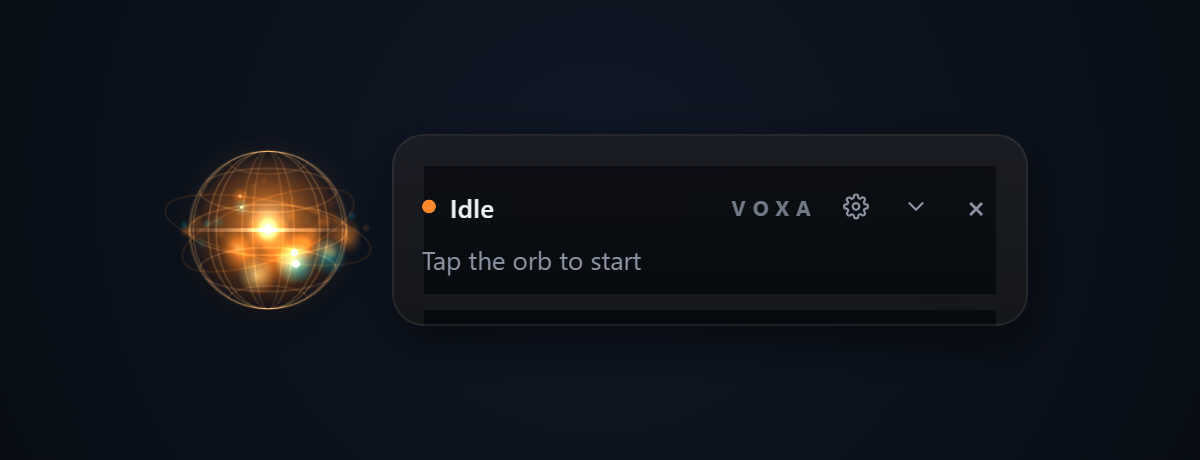
This is the app's actual orb renderer, running live. Tap it to simulate a conversation,
or restyle it in the Skins section below.
What it is
Voxa sits quietly in a corner of your screen as a small glowing orb with a dock panel. Tap it and you're in an open-mic, low-latency voice session — with barge-in, so you can interrupt it mid-sentence like a real conversation.
The model can call tools, and those tools come from a small local connector harness that runs alongside the orb. Out of the box you get a local Markdown brain — search, read, and save your own notes by voice, offline, with no API key — plus a whole shelf of connectors.
There is no proprietary backend. Ever.
Features
Open-mic, low-latency, barge-in. Choose Gemini Live, OpenAI Realtime, or a local daemon you run yourself — switchable in Settings.
A folder of .md files Voxa can search / read / save by voice — offline, no API key. Point it at an Obsidian vault if you like.
Weather, web search, crypto, GitHub, Hacker News, Wikipedia, timers, lists, Spotify and more. Each one is a single small ES module — no build step.
Say “build me a connector for the OpenWeather API” and the forge writes one from a declarative, data-only spec — safely, with SSRF guards.
Pick a built-in “soul”, edit its system prompt, and theme the orb with 10 skins × 8 palettes — live, by voice, or in config.
One Tauri v2 app, built on Windows, macOS, and Linux in CI on every push. The harness is plain Node and runs anywhere Node 18+ runs.
New in 1.2 → 1.3.1
Voxa can learn from your conversations and pick up where you left off. Your transcripts and notes stay as plain local files, and a single dial takes the whole loop from full auto down to off.
The learning loop
auto, explicit, or off, set in config or by voice. Now switchable from the orb's settings window too (new in 1.3.1), alongside config and voice. All of it local.Off · explicit · auto
// voxa-config.json — off · explicit · auto
{ "learning": { "mode": "auto" } }Your voice goes to the model provider you chose — or never leaves the machine at all with a local daemon. Notes, keys, and config live in local files you can open in any editor.
Ambient footage: “Stars of Cepheus”, NASA / JPL-Caltech Spitzer Space Telescope
How it works
The orb reads a local voxa-config.json and talks to the harness over GET/POST /api/voice/tools. Any server speaking that contract is a valid tool source — point Voxa at your own backend if you want.
Get started
Prerequisites: Rust (stable) and Node 18+. On Linux also libwebkit2gtk-4.1-dev libappindicator3-dev librsvg2-dev patchelf.
# dev build (or: npm run tauri build)
git clone https://github.com/przemekzur/voxa.git
cd voxa/packages/orb
npm install
npm run tauri dev
That's it — the orb auto-starts the connector harness (tools + memory brain, all connectors enabled) and stops it when you quit. Prefer to run it yourself? cd packages/harness && npm start — the orb detects it and won't start a second one.
Tap the orb and paste a Gemini API key when prompted — it's stored locally, never in the config file.
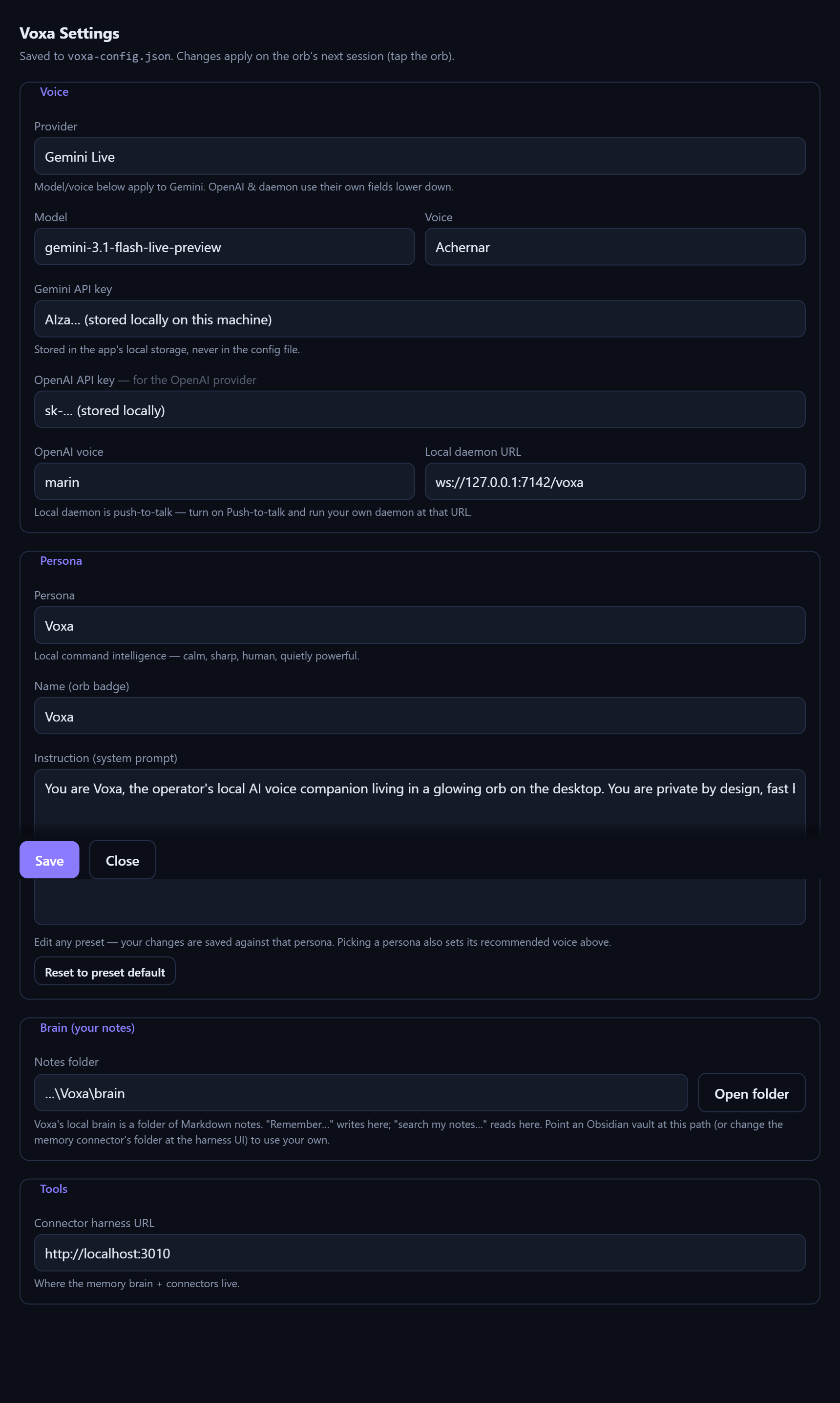
voxa-config.json.Configure it
Everything is one tap from the orb's gear:
http://localhost:3010). Every connector ships enabled by default; Enable all / Disable all flips the whole set.voxa-config.json in your app-data dir — plain JSON you can edit by hand.Using the agent
No wake word ceremony, no app switching. Tap the orb and speak — the model picks the right tool. Try saying:
“Remember the wifi password is hunter2.” · “Search my notes for the tax deadline.” · “Read my note about the Berlin trip.”
Notes are Markdown files in your brain folder — greppable, syncable, yours.
“Set a pasta timer for 9 minutes.” · “Add oat milk to the shopping list.” · “What's on my list?”
Quick utilities that keep working while you keep talking.
“What's the weather in Kraków tomorrow?” · “What's Bitcoin at?” · “What's on the Hacker News front page?”
Weather, web search, crypto, currency, GitHub, Wikipedia, news — one connector each.
“Set skin to reactor.” · “Use the ice palette.”
The orb restyles itself live, mid-conversation.
“Build me a connector for the OpenWeather API.”
The forge writes a new connector from a declarative HTTP spec. Tap the orb to reload — the new tools are live.
Pick or edit a “soul” in Settings — each has a system prompt and a recommended voice.
Your edits are saved per-persona, so experiments never wreck the preset.
Connectors
A connector gives Voxa new voice-callable tools. It's a single ES module — no build step, no dependencies beyond Node's stdlib and global fetch. The harness auto-discovers anything in packages/harness/connectors/<id>/index.mjs.
Enable the forge connector and say:
Forge writes a new connector from a declarative, data-only HTTP spec — it never executes model-written code, and it's guarded against SSRF. Great for any public REST API.
Tap the orb to reload, and the new tools are live.
Default-export a manifest with actions. Drop it in, hit Reload in the harness UI (orb gear → Connectors…, or localhost:3010), fill any config, and Test. Tools appear on the orb's next session.
name with the connector id.description is the model's only guide — write it for an LLM deciding when to call.parameters is flat JSON Schema — typed; avoid $ref/anyOf.handler returns { result } or { error } — result is a short string the model reads aloud.config with secret: true — stored server-side, never sent to the browser.AbortSignal.timeout(ms).// packages/harness/connectors/dice/index.mjs
export default {
id: "dice",
name: "Dice",
description: "Roll dice.",
icon: "🎲",
config: [], // optional config/secret fields
async test() { return { ok: true, message: "Ready." }; },
actions: [
{
name: "dice_roll", // GLOBALLY unique — prefix with the id
description: "Roll an N-sided die and return the result.",
parameters: { // JSON Schema for the args (flat, typed)
type: "object",
properties: { sides: { type: "number",
description: "Number of sides (default 6)." } },
},
async handler(args) {
const n = Math.max(2, Math.floor(args.sides || 6));
return { result: `You rolled a ${1 + Math.floor(Math.random() * n)} (d${n}).` };
},
},
],
};The default memory connector is Voxa's local brain — a folder of Markdown notes exposed as memory_search / memory_save / memory_read / memory_list.
Point its brainDir at an Obsidian vault and talk to your existing notes.
Any server that speaks the tool contract — GET/POST /api/voice/tools — can be a tool source. Set it as the harness URL in Settings and Voxa will happily use your backend instead.
# the whole contract
GET  /api/voice/tools   # → list of tool manifests
POST /api/voice/tools # → run a tool, return { result }Skins & palettes
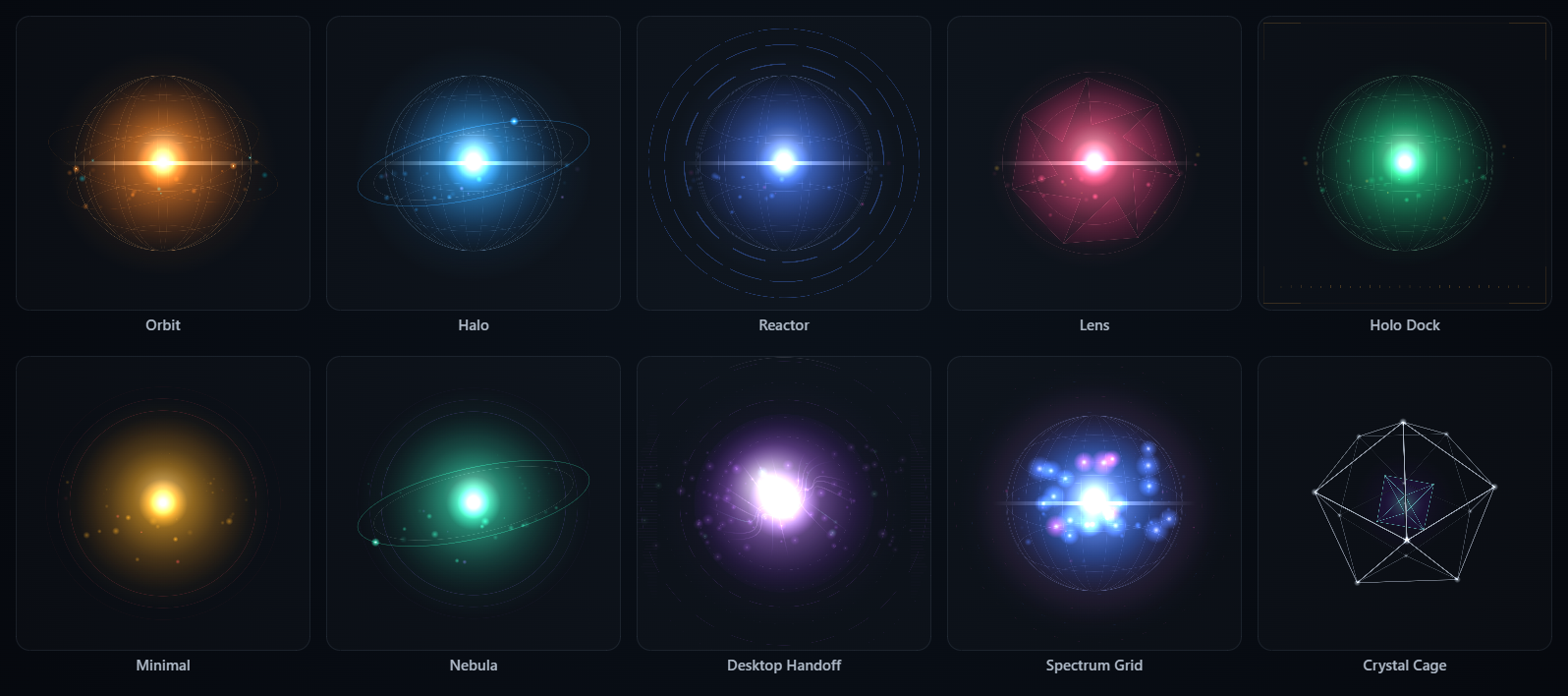
A skin is the orb's shape — sphere style, rings, flare, scanline. A palette is its colour set. They're independent: mix any skin with any palette, live from the gear, by voice (“set skin to reactor”, “use the ice palette”), or in config.
“set skin to orbit, use the ember palette”
tap the orb to hear it “speak”
Make your own
Declare custom skins and palettes in voxa-config.json under appearance. They're validated and merged on launch, then appear in the picker and respond to voice like the built-ins.
Each palette is six colour roles as [r, g, b]: core (central glow), accent (rings), hot (speaking heat), deep (shadowed depth), line (wireframe), white (specular).
Want a brand-new sphere or ring style, not just a new combination? Those are drawn by the canvas renderer in packages/orb/src/js/orb.js — add a case there and an entry in skins.js.
{
  "appearance": {
    "palettes": [{
      "id": "midnight", "name": "Midnight",
      "core":   [120, 160, 255], "accent": [200, 120, 255],
      "hot":    [210, 230, 255], "deep":   [20, 30, 80],
      "line":   [150, 190, 255], "white":  [240, 245, 255]
    }],
    "skins": [{
      "id": "myskin", "name": "My Skin",
      "sphere": "wire",     // wire | soft | lens
      "ring":   "reactor",  // none | orbit | halo | reactor | spectrum
      "flare":  true,
      "scan":   true,
      "brackets": false,
      "defaultPalette": "midnight"
    }]
  }
}
Platforms
Voxa is a Tauri v2 app. Every push builds the orb on Windows, macOS, and Linux in CI.
| Platform | WebView | Notes |
|---|---|---|
| Windows | WebView2 | Primary dev platform. Release builds have no console window. |
| macOS | WKWebView | Transparent orb needs macOSPrivateApi (set). Mic permission ships in Info.plist. |
| Linux | WebKitGTK 4.1 | Needs libwebkit2gtk-4.1 at runtime; voice needs WebKitGTK ≥ 2.38 (getUserMedia). |
cd packages/orb
npm install
npm run tauri build              # release installers for the host OS
npm run tauri build -- --no-bundle   # compile only (what CI runs)
FAQ
Voxa is a private, local-first voice assistant that runs as a small floating orb on your desktop. You tap the orb to start a realtime voice conversation; it can search and save your notes, call tools, and build new connectors by voice. It is an open-source Tauri v2 app for Windows, macOS, and Linux, and it has no proprietary backend.
Yes. Voxa is open source under the MIT license, with no subscription and no Voxa-operated server. You bring your own model API key. Gemini Live is available on a free tier in Google AI Studio, so you can run the realtime voice model at no cost.
Partly. The local Markdown brain — searching, reading, and saving notes — works fully offline with no API key. Realtime voice needs either a cloud provider (Gemini Live or OpenAI Realtime) or a local daemon that you run yourself, in which case your audio never leaves the machine.
Voxa supports Gemini Live, OpenAI Realtime, and any local daemon that speaks its WebSocket protocol. The provider, model, and voice are switchable in Settings without restarting the app.
A connector is a single ES module that gives Voxa new voice-callable tools. It needs no build step and no dependencies beyond Node's standard library and global fetch. The connector harness auto-discovers any file at packages/harness/connectors/<id>/index.mjs. Voxa ships with 21 connectors, including memory, weather, web search, GitHub, and Spotify.
Yes. The forge connector writes new HTTP connectors when you ask by voice, for example “build me a connector for the OpenWeather API”. It generates a declarative, data-only specification rather than executing model-written code, and it is guarded against SSRF.
Voxa runs on Windows (WebView2), macOS (WKWebView), and Linux (WebKitGTK 4.1). It is built on Tauri v2, and continuous integration builds the app for all three operating systems on every push.
Your notes are plain Markdown files in a folder you choose, so you can point Voxa at an existing Obsidian vault. Settings are written to voxa-config.json in your application-data directory, and API keys are stored locally on the machine rather than in the config file.
Voice across three providers, the local brain, 21 connectors, the forge, personas, skins, and cross-platform CI builds all work today. On the roadmap: the build-agent's gated code path and a web cockpit.
Voxa is free and open source. If it's useful to you, you can support its development: